


New app
Edu Flash
A flash-card study app for students and teachers of health-care fields. Build a deck with the help of AI, from an image or by uploading a file, and study right in the browser — offline, with no sign-up and no data sent anywhere. The app's interface is in Slovak.


What the app offers
Cards with the help of AI
Copy the prepared brief, paste it with your study text into any AI chat and paste the answer back into the app. The answer becomes a ready deck.
Cards from an image
Pick or photograph a picture, mark the spots on it and name them. While studying you tap the right spot directly on the image — ideal for anatomy or equipment.
A ready file
Upload a deck as CSV or Markdown. A Markdown document can double as study material with embedded cards, so one file serves both for reading and for testing yourself.
Studying that remembers
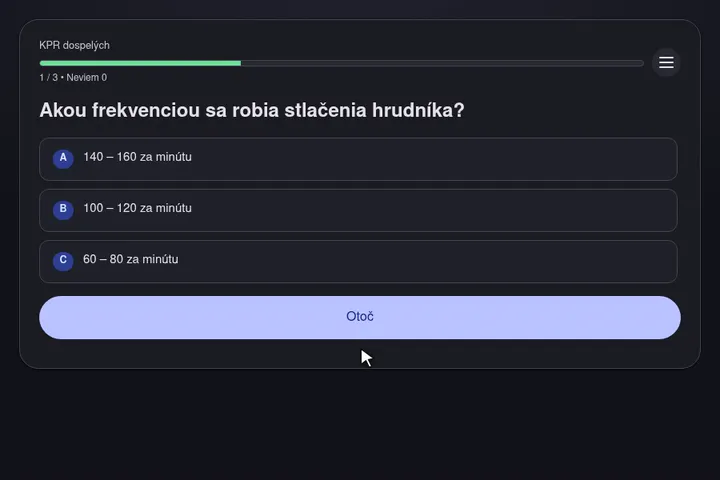
Know or Don't know — cards you miss come back at the end of the round. Shuffle, hide the options or limit the number of cards; an unfinished round continues even after a page reload.
Editing inside the app
Edit the question, answers and explanation while studying. An image deck reopens in the editor so you can add, remove or rename spots.
Offline, in the browser
Works on a phone, tablet or desktop with nothing to install. Download a deck as a file and share it with classmates.
Screenshots
How it works
1. Add cards
Pick the path that suits you: with AI, from an image or from a ready file. The deck is stored in your browser.
2. Study
Answer or flip the card and mark Know or Don't know. The progress bar tracks the round and missed cards come back.
3. Share
Download the deck as a file and send it to classmates or students — they open it in the app with a single upload.
Privacy and security
Decks and progress stay on your device. The app works offline and sends none of the card content to a server. Clearing the browser data removes the decks, so keep important decks as files.
Only with your consent does the app send an anonymous usage statistic after each study round — field of study, device type, study time and deck name. You can change the consent and each item at any time in Settings.