


New app · BETA
Resuscitation Simulator
An interactive defibrillator/monitor simulator for training resuscitation and emergency care — right in your browser, nothing to install.
What the app offers
A realistic device
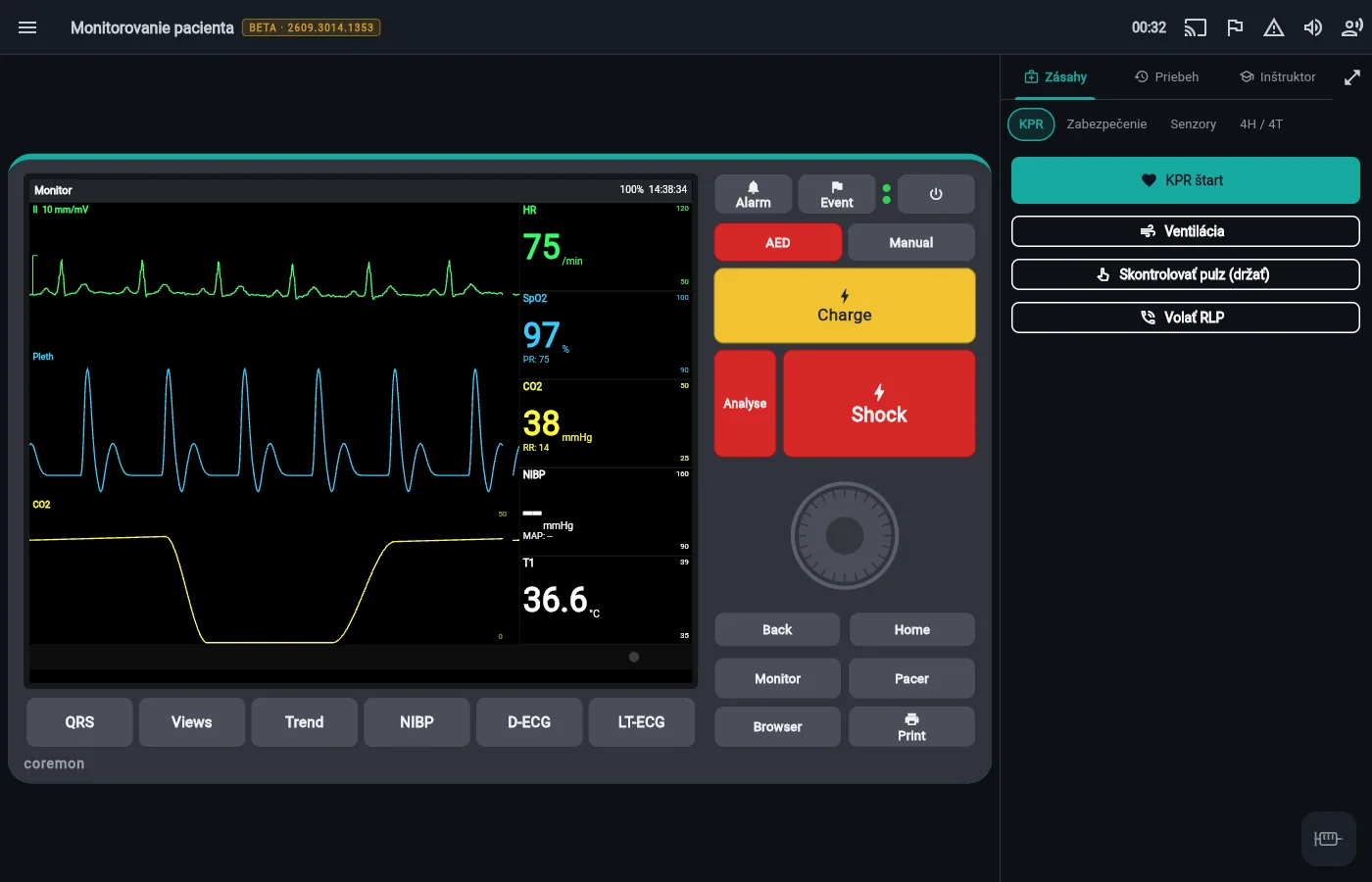
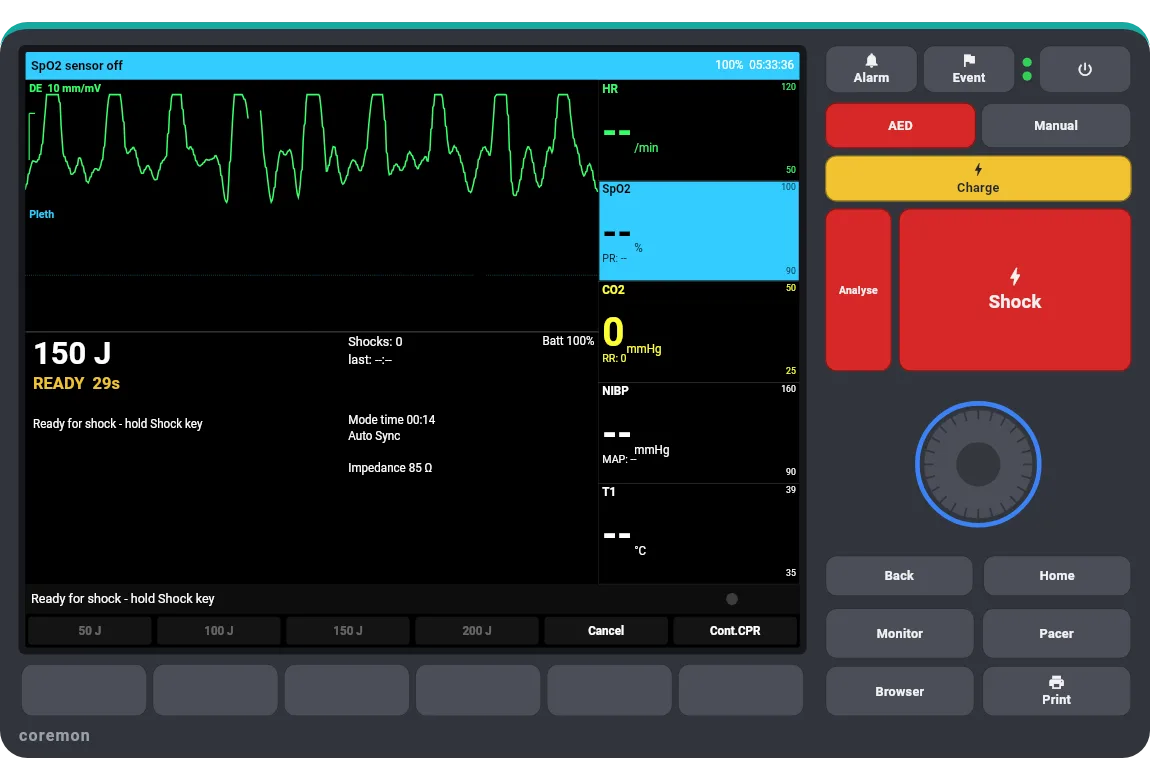
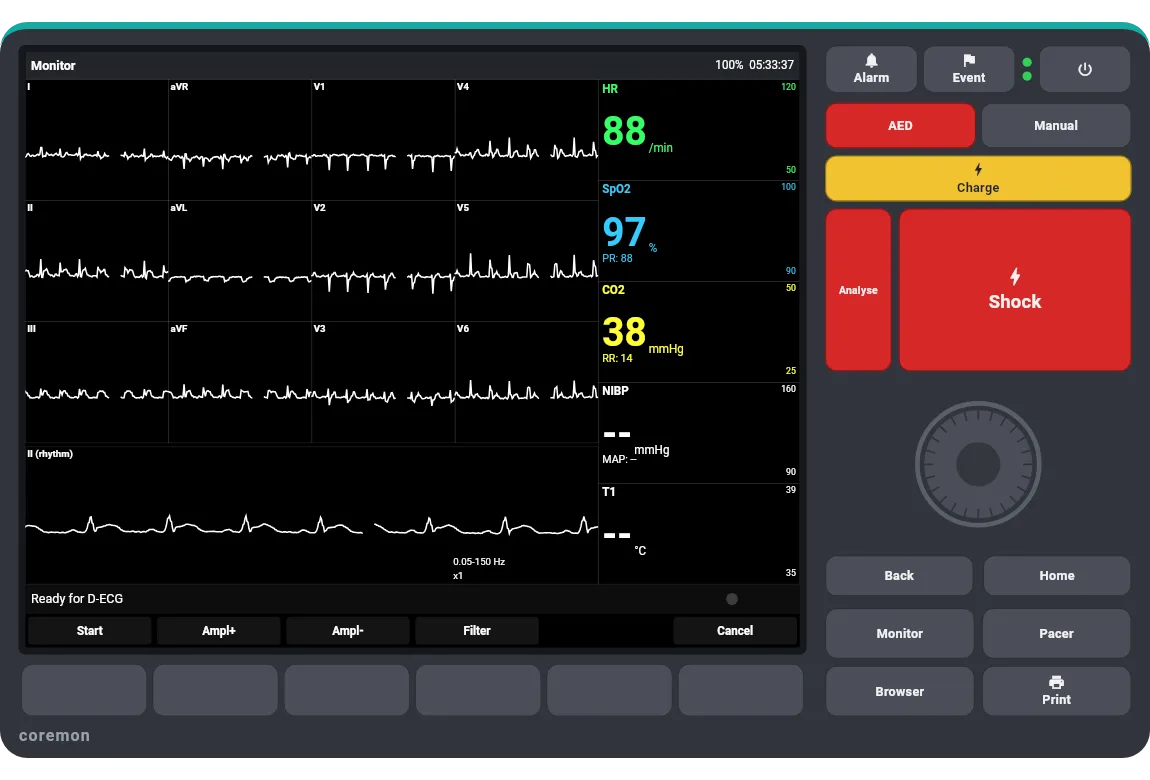
A simulated transport defibrillator/monitor, “coremon”: monitoring, manual defibrillation and AED mode, pacing, NIBP and alarms.
Live patient physiology
12-lead ECG, plethysmography, capnography and vital signs respond to what you do — CPR, shocks, drugs and airway management.
Procedure
Every scenario has a guide with the correct procedure step by step and the “why” behind it, available before, during and after a run.
Guided mode
An optional voice coach walks you through the scenario, repeats a missed step after a mistake and suggests the next step on request.
Scoring and debrief
After each run you get a score, time metrics, the rhythm and vitals over time and the full event timeline — exportable to PDF.
Drugs and dilution
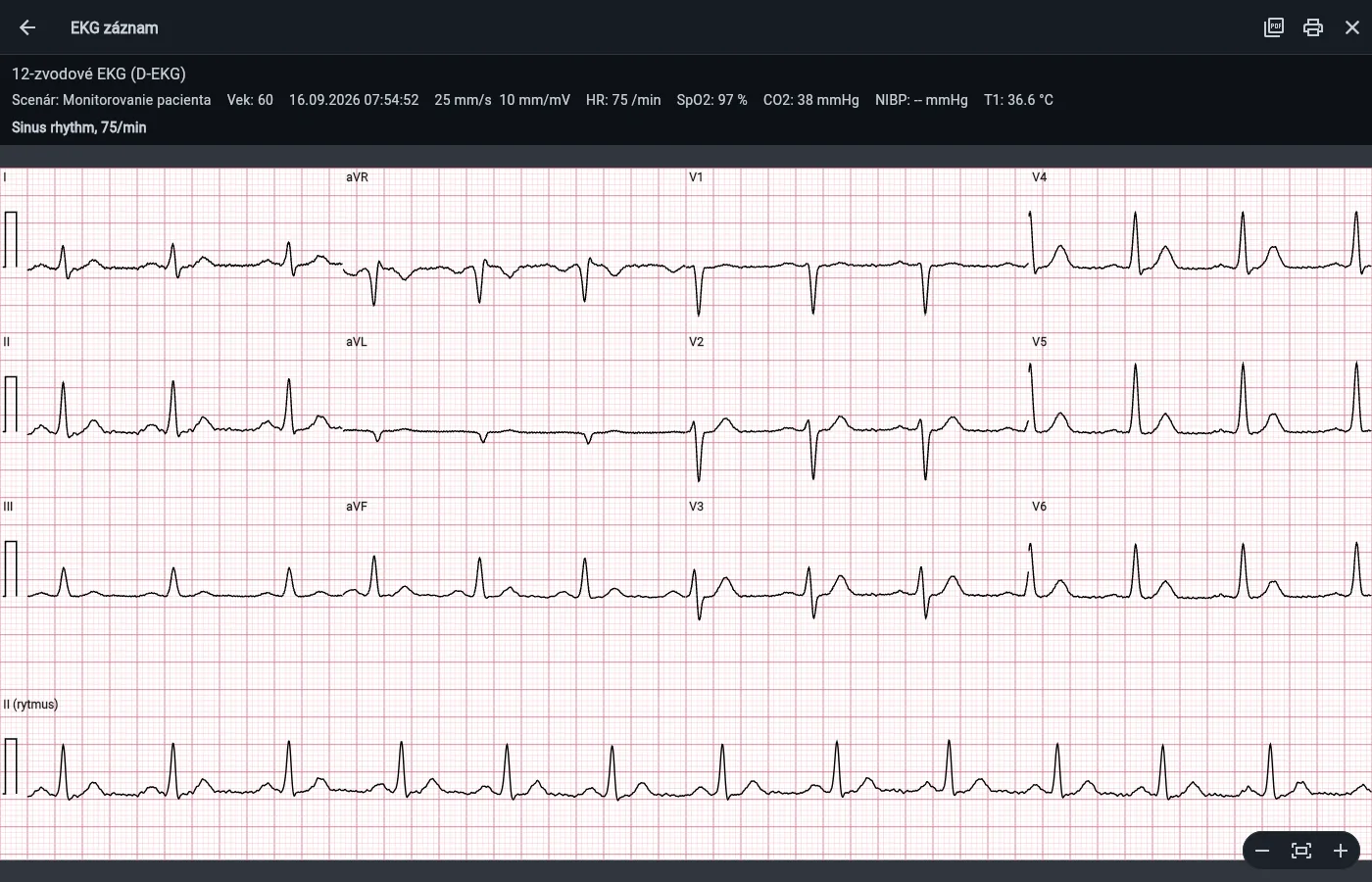
A syringe dialog with a dilution and dosing calculator; 12-lead ECG and ECG paper printouts with print and PDF.
Remote instructor control
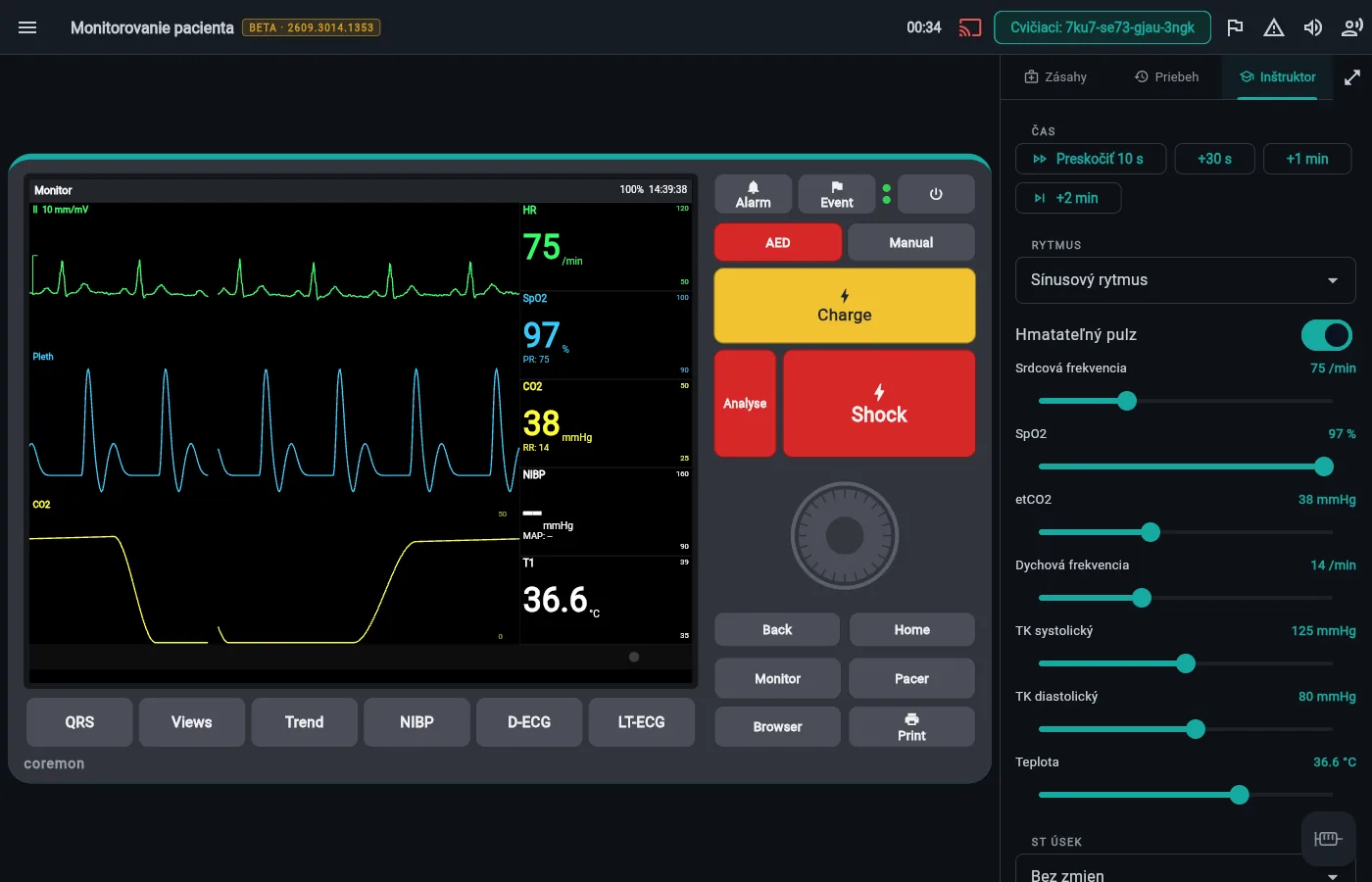
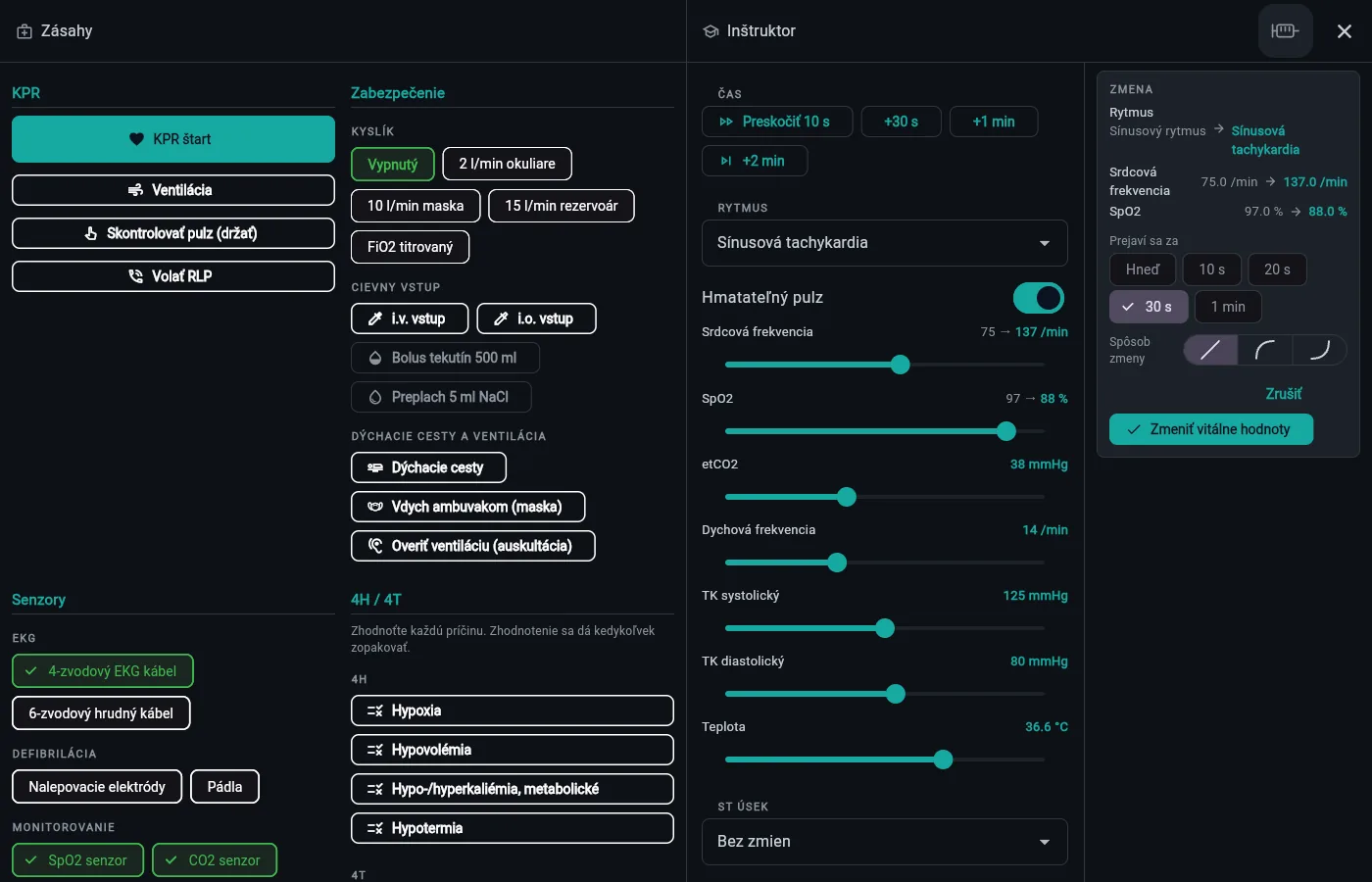
In the Patient monitoring scenario an instructor can run the simulation from their own device. The trainee sees only the monitor and operates its keys as on a real device; the instructor sees the same screen and changes the patient from the side panel.
Pairing by QR code
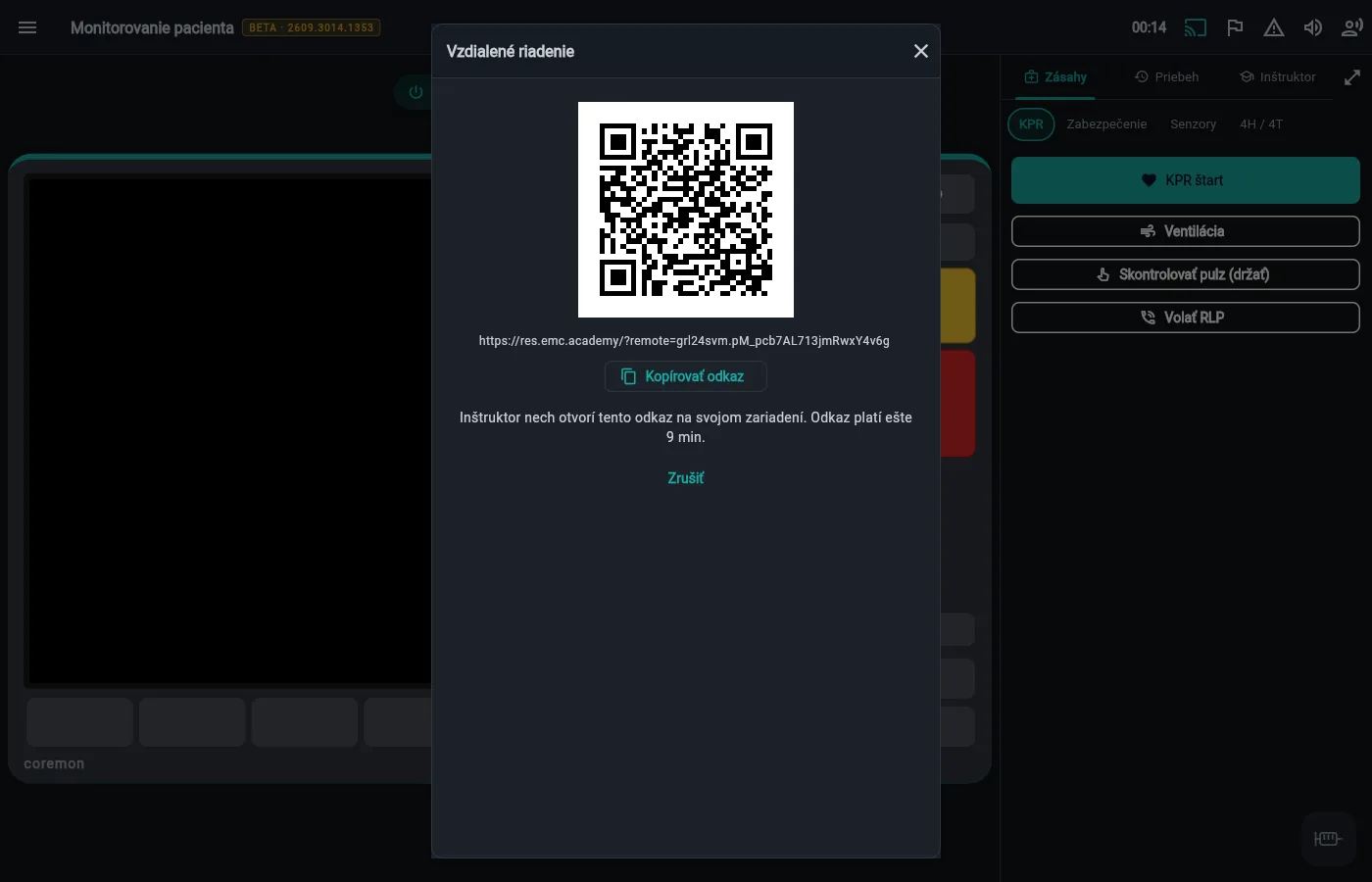
The trainee taps the remote-control icon to show a QR code. The instructor opens it in the web app on a tablet or computer and confirms the takeover. The link is valid for 10 minutes; both sides must run the latest app version.
The trainee sees only the device
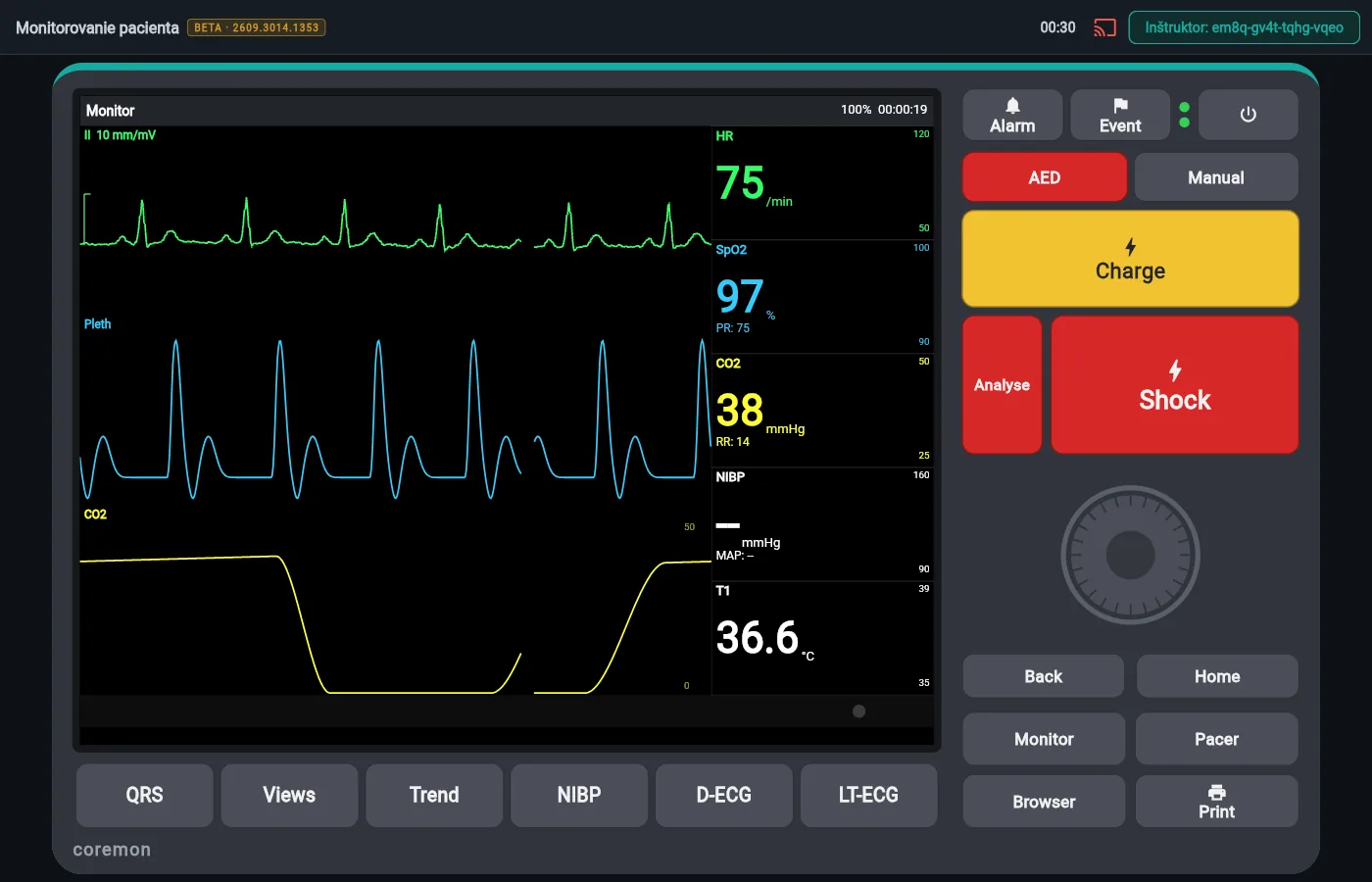
Once paired, a fresh monitoring run starts and the trainee’s screen is locked — no menu, side panel, interventions or drugs. The bar keeps the clock and the ID of the connected instructor.
Instructor panel
Rhythm, vital signs and ST segment with a smooth transition (instant up to 1 minute, linear, logarithmic or exponential), sensors, interventions, drugs, time skips, pause and sound on the trainee’s monitor — also full screen.
Shared debrief and privacy
When the scenario ends, both sides get the debrief with PDF export. The server only relays inputs between two devices that compute the same simulation; it never stores the patient state. A brief network drop is recovered automatically within 60 s.
Screenshots
Scenarios
More than 20 scenarios, from patient monitoring to advanced life support for adults and children:
- ALS – ventricular fibrillation
- ALS – pulseless VT
- ALS – asystole
- ALS – PEA (hypovolaemia)
- ALS – PEA (tension pneumothorax)
- ALS – PEA (hyperkalaemia)
- Paediatric ALS
- Post-ROSC care
- Drowning
- Hypothermia
- Unstable VT with a pulse
- Torsades de pointes
- Stable SVT
- Atrial fibrillation
- Atrial flutter 2:1
- Peri-arrest bradycardia
- AV blocks (1st, Wenckebach, Mobitz II)
- Junctional rhythm
- STEMI
- AIVR
- Paced rhythm
- Patient monitoring
Platforms
The app runs in the browser at res.emc.academy on phones, tablets and computers. The web app offers to reload itself when a new version is deployed.
Anonymous statistics
With the user’s consent, the app sends anonymous scenario results (score, mistakes, duration) to help improve teaching — never personal data. Consent can be withdrawn at any time.
Important notice
BETA version. Content and behaviour may still change; the app is not meant for assessment or certification.
This is a training simulator only. It is not a medical device and must not be used to diagnose, monitor or treat real patients, nor as a substitute for accredited training, clinical judgement or local protocols.
The simulator is an independent tool — it is not approved, certified or endorsed by the European Resuscitation Council (ERC), any national council or any medical-device manufacturer. “coremon” is a fictional device name.